
I am needing THE CORRECT way to install TDE on Suse Leap?
The directions on the internet are for WAY OLDER versions of Leap, as I talked about in my last post, and
those directions don't work.
Thanks,
Chris
================================
OFF LIST: chris@cwm030.com

On 2026-05-06 17:37:02 CHRIS M via tde-users wrote:
I am needing THE CORRECT way to install TDE on Suse Leap?
The directions on the internet are for WAY OLDER versions of Leap, as I talked about in my last post, and
those directions don't work.
Well, I'm able to browse to both
https://mirror.ppa.trinitydesktop.org/trinity/rpm/oss160/trinity-r14/RPMS/x8... https://mirror.ppa.trinitydesktop.org/trinity/rpm/oss160/trinity-r14/RPMS/no...
so they ought to work properly.
In the noarch repository you will find meta-packages
trinity-desktop trinity-desktop-all trinity-desktop-applications trinity-desktop-devel
and I generally install -desktop, -desktop-all and -desktop-applications, which should get you just about everything.
Leslie
Thanks,
Chris
================================
OFF LIST: chris@cwm030.com
tde-users mailing list -- users@trinitydesktop.org To unsubscribe send an email to users-leave@trinitydesktop.org Web mail archive available at https://mail.trinitydesktop.org/mailman3/hyperkitty/list/users@trinitydeskt op.org

J Leslie Turriff composed on 2026-05-06 18:29 (UTC-0400):
On 2026-05-06 17:37:02 CHRIS M via tde-users wrote:
I am needing THE CORRECT way to install TDE on Suse Leap?
There's more than one way, and they depend on whether you want the kitchen sink, or just the basics as a starting point from which to determine the apps you care to use.
The directions on the internet are for WAY OLDER versions of Leap, as I talked about in my last post, and
those directions don't work.
Well, I'm able to browse to both
https://mirror.ppa.trinitydesktop.org/trinity/rpm/oss160/trinity-r14/RPMS/x8... https://mirror.ppa.trinitydesktop.org/trinity/rpm/oss160/trinity-r14/RPMS/no...
so they ought to work properly.
In the noarch repository you will find meta-packages
trinity-desktop trinity-desktop-all trinity-desktop-applications trinity-desktop-devel
and I generally install -desktop, -desktop-all and -desktop-applications, which should get you just about everything.
If you don't want to start with everything, start with what I start with. After enabling and refreshing repos, run:
zypper -v in trinity-tdm trinity-tdebase
That will get you the display/login manager, and a basic desktop session.
I manually enable minimal repos using one of two files I create in conjunction with or before an openSUSE or TDE release:
repo file TDE.repoA [TDE] autorefresh=0 baseurl=http://archive.trinitydesktop.net/trinity/rpm/oss160/trinity-r14/RPMS/x86_64 enabled=1 gpgcheck=0 keeppackages=0 name=TDE priority=90 type=rpm-md
repo file TDE.repoD [TDE] autorefresh=0 baseurl=http://mirror.ppa.trinitydesktop.org/trinity/rpm/oss160/trinity-r14/RPMS/x86... enabled=1 gpgcheck=0 keeppackages=0 name=TDE priority=90 type=rpm-md
Only one of the two is needed to be copied into /etc/zypp/repos.d/, whichever is the repo you wish to use, minus the trailing A or D character. Switching between the two is a simple matter of copying one or the other to /etc/zypp/repos.d/TDE.repo prior to a
zypper ref
command or using Myrlyn to select which packages you wish installed.
On 5/6/26 5:29 PM, J Leslie Turriff via tde-users wrote:
trinity-desktop trinity-desktop-all trinity-desktop-applications trinity-desktop-devel
and I generally install -desktop, -desktop-all and -desktop-applications, which should get you just about everything.
Leslie
< SNIP>
I've been meaning to update ya'll on what happened... I've had my computer down for awhile, trying other things, and just set my email back up in Thunderbird.
I gave up on Trinity.
I installed SUSE LEAP 16
I did what Leslie said , the sudo zypper in trinity-desktop-all
and all I got when I logged in was this: ( see attached photo)
Thanks,
Chris
================================
OFF LIST: chris@cwm030.com
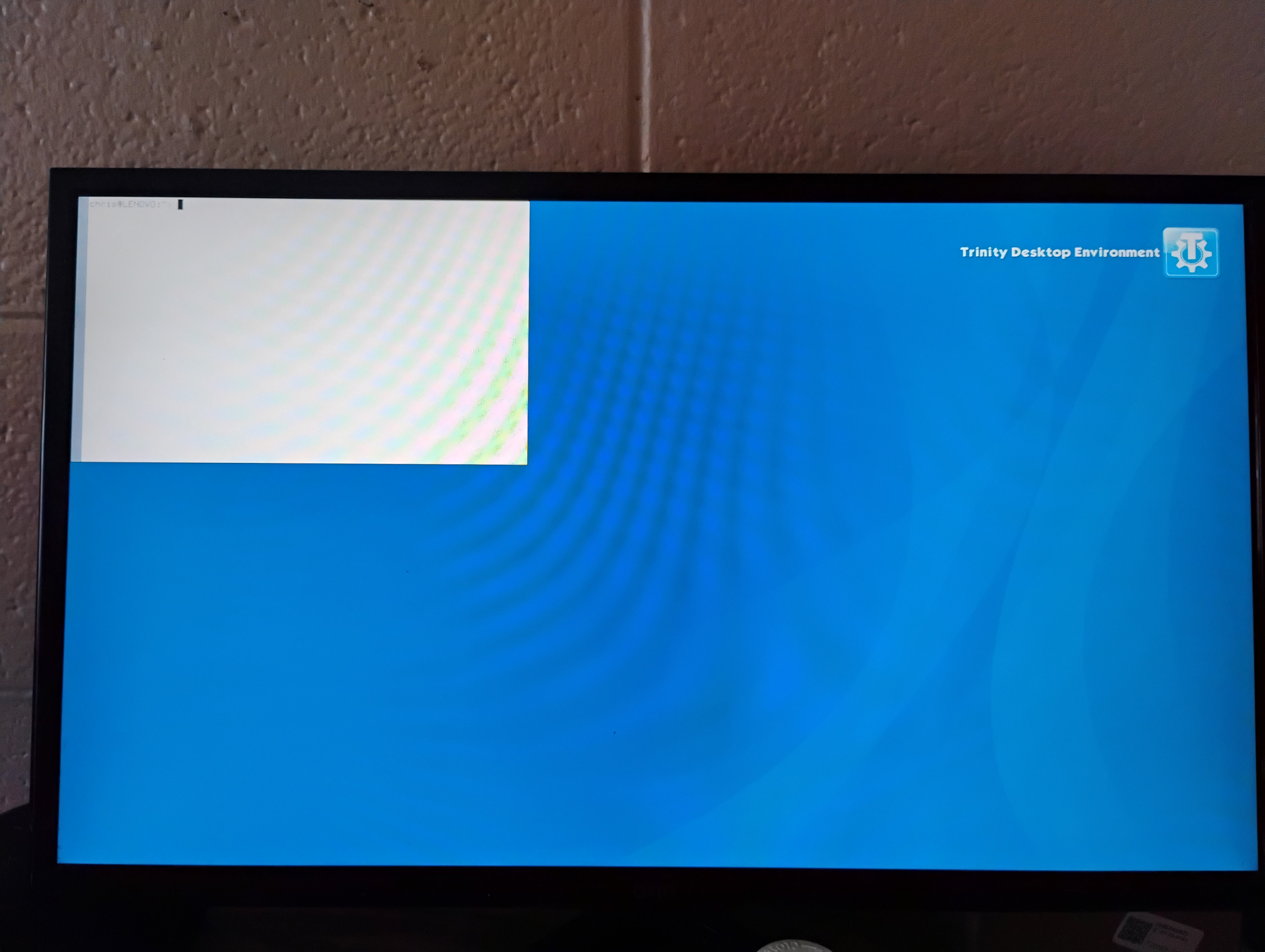
CHRIS M composed on 2026-05-16 18:05 (UTC-0500):
J Leslie Turriff via tde-users wrote:
trinity-desktop trinity-desktop-all trinity-desktop-applications trinity-desktop-devel
I've been meaning to update ya'll on what happened... I've had my computer down for awhile, trying other things, and just set my email back up in Thunderbird.
I gave up on Trinity.
I installed SUSE LEAP 16
I did what Leslie said , the sudo zypper in trinity-desktop-all
I always start with minimal basics:
zypper in trinity-tdm trinity-tdebase
I don't know what's in trinity-desktop-all, but IIRC, if you want the entire kitchen sink, according to https://wiki.trinitydesktop.org/OpenSUSEInstall, all you need install is trinity-desktop.
On 2026-05-16 20:06:15 Felix Miata via tde-users wrote:
CHRIS M composed on 2026-05-16 18:05 (UTC-0500):
J Leslie Turriff via tde-users wrote:
trinity-desktop trinity-desktop-all trinity-desktop-applications trinity-desktop-devel
I've been meaning to update ya'll on what happened... I've had my computer down for awhile, trying other things, and just set my email back up in Thunderbird.
I gave up on Trinity.
I installed SUSE LEAP 16
I did what Leslie said , the sudo zypper in trinity-desktop-all
I always start with minimal basics:
zypper in trinity-tdm trinity-tdebase
I don't know what's in trinity-desktop-all, but IIRC, if you want the entire kitchen sink, according to https://wiki.trinitydesktop.org/OpenSUSEInstall, all you need install is trinity-desktop.
Quite a while back I noticed that with trinity-desktop, a lot of applications did not install automagically and I had to select them via YaST.
Leslie
-
 CHRIS M
 -
 Felix Miata
 -
 J Leslie Turriff